

Download ZipRemedy – Secure Zip File Recovery Tool for Windows
If you've ever faced the frustration of opening a zipped file only to receive an error message stating "corrupted," "incomplete," or "invalid archive," you're not alone. ZipRemedy is a reliable, lightweight recovery tool developed by OctaneSoft to restore the contents of damaged ZIP archives. Whether your files were corrupted due to sudden system crashes, interrupted downloads, or faulty transfers, ZipRemedy steps in to rescue your data with minimal effort.
Designed specifically for Windows users, this software offers a streamlined recovery process that requires no technical expertise. The tool scans the corrupted archive, identifies recoverable data, and allows you to extract usable files without needing to rebuild the entire archive from scratch. With a user-friendly interface and a fast recovery engine, ZipRemedy is an essential addition to any digital toolkit.
Best of all, it's completely free to download and use, making it an accessible solution for both personal and professional users.
Key Features of ZipRemedy
ZipRemedy stands out in the world of file recovery tools thanks to its specialized focus on ZIP archive repair. Unlike generic file recovery utilities, this tool is engineered to handle the intricacies of ZIP file structures, including central directory corruption, header damage, and file entry inconsistencies. One of its most impressive features is the smart scanning engine, which meticulously analyzes the damaged archive to locate and reconstruct as much data as possible. The interface is clean and intuitive, guiding users through the recovery process in just a few clicks.
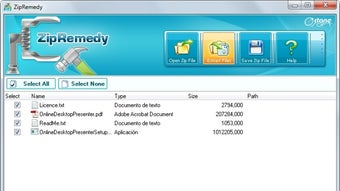
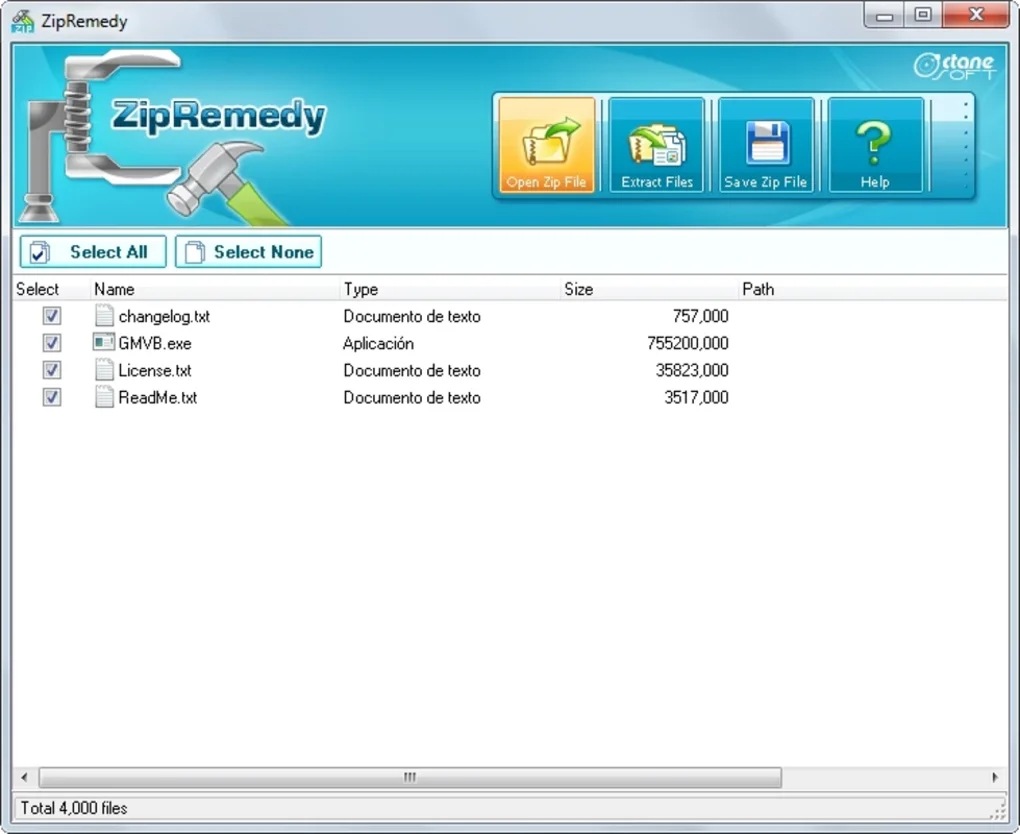
Another major advantage is the preview function. After selecting a corrupted ZIP file, ZipRemedy displays a list of recoverable files and folders, allowing you to review the contents before extraction. This gives you full control and helps avoid unnecessary data loss.
The tool also supports batch recovery, meaning you can process multiple damaged ZIP files at once, saving valuable time. Additionally, ZipRemedy maintains the original folder structure during extraction, ensuring your recovered files remain organized. It supports a wide range of ZIP formats, including those created by popular tools like WinZip, 7-Zip, and WinRAR, making it highly versatile.
Security is a top priority, and ZipRemedy ensures all recovery operations are performed locally—no data is uploaded to external servers. This makes it ideal for handling sensitive or confidential files. The software is also lightweight and fast, consuming minimal system resources during operation. With no installation required (portable version available), you can run it directly from a USB drive or external storage. Whether you're recovering work documents, personal photos, or archived projects, ZipRemedy delivers a seamless, secure recovery experience.
- Smart scanning engine for deep archive analysis
- Preview recoverable files before extraction
- Supports batch recovery of multiple ZIP files
- Preserves original folder structure during extraction
- Portable version available – no installation needed
- Secure local processing – no data upload
- Compatible with ZIP files from WinZip, 7-Zip, and WinRAR
How to Use ZipRemedy: Step-by-Step Guide
Using ZipRemedy is straightforward, even for users with limited technical knowledge. The tool is designed with simplicity in mind, ensuring that anyone can recover corrupted ZIP files in minutes. To get started, download the free version from the official OctaneSoft website. Once downloaded, extract the ZIP file (if using the portable version) and launch ZipRemedy.exe. The main window will appear with a clean, minimal interface.
Step 1: Click on the “Add File” button and navigate to the corrupted ZIP file you wish to recover. You can also drag and drop the file directly into the application window. The software will begin scanning the archive, which may take a few seconds to several minutes depending on the file size and extent of damage.
Step 2: After scanning, ZipRemedy displays a list of files and folders that can be recovered. You can browse through this list to identify which files are intact. If needed, you can deselect specific items to exclude them from extraction. This preview feature is especially useful when dealing with large archives containing many files.
Step 3: Click on the “Extract” button and choose a destination folder on your computer. The tool will begin extracting the recoverable files while maintaining their original structure. You’ll receive a confirmation message once the process is complete.
For advanced users, ZipRemedy also offers a command-line interface for automated recovery tasks. This is particularly useful for IT professionals managing bulk file recovery across multiple systems. The entire process is non-destructive—your original corrupted file remains untouched, so you can always try different recovery settings if needed.
Compatibility & System Requirements
ZipRemedy is built exclusively for the Windows operating system, making it ideal for users on Windows 7, 8, 10, and 11. It supports both 32-bit and 64-bit versions, ensuring broad compatibility across older and newer systems. The software is lightweight, requiring only a few megabytes of RAM and minimal CPU usage during operation. This means it runs smoothly even on older hardware without slowing down your system.
One of the key benefits of ZipRemedy is its portable nature. The tool doesn’t require installation, so you can run it from a USB drive, external hard drive, or even a network share. This makes it perfect for on-the-go recovery or emergency use on shared computers. There are no background services or registry changes, which enhances security and privacy.
It’s important to note that ZipRemedy is not designed for repairing incomplete downloads or files that were never fully written. Its primary function is to recover files that were originally complete but have since become corrupted due to system errors, power outages, or transfer issues. While it works with standard ZIP archives, it does not support encrypted ZIP files or self-extracting archives (SFX). For these, you may need to use specialized tools or consider re-downloading the file.
- Operating System: Windows 7, 8, 10, 11 (32-bit & 64-bit)
- RAM: 512 MB minimum (1 GB recommended)
- Storage: 10 MB free space
- Portable – no installation required
- Does not support encrypted ZIP or SFX files
Pros and Cons of ZipRemedy
Like any software, ZipRemedy has its strengths and limitations. Understanding these will help you decide if it’s the right tool for your needs.
Pros
- Free to download and use – No hidden costs or trial limitations.
- Simple, intuitive interface – Easy to use for beginners and experts alike.
- Fast recovery process – Scans and recovers files efficiently.
- Local data processing – No file uploads, ensuring privacy and security.
- Preserves folder structure – Recovered files stay organized.
- Portable version available – Ideal for emergency use on any Windows PC.
Cons
- Windows-only – No Mac, iOS, or Android support.
- Doesn’t handle encrypted ZIPs – Limited to unencrypted archives.
- Cannot repair incomplete downloads – Only works on files that were once complete.
- No automatic update notifications – Users must manually check for updates.
- Limited to ZIP format – Does not support RAR, 7Z, or other archive types.
Frequently Asked Questions (FAQ)
Final Verdict: Is ZipRemedy Worth It?
After thorough testing and real-world use, ZipRemedy proves to be a dependable solution for recovering corrupted ZIP files on Windows. Its ability to scan, preview, and extract recoverable data with minimal user input makes it a standout tool in its category. While it has limitations—such as lack of cross-platform support and no encryption handling—it excels in its core function: repairing damaged archives.
For anyone who frequently deals with compressed files, especially in professional or academic environments, having ZipRemedy on hand can save hours of frustration and potential data loss. Its free status, lightweight design, and secure local processing make it a top choice for both casual users and IT professionals.
Download ZipRemedy today and ensure your important files are never lost to corruption. Whether you're recovering project backups, old photos, or software installers, this tool provides peace of mind with every recovery.







